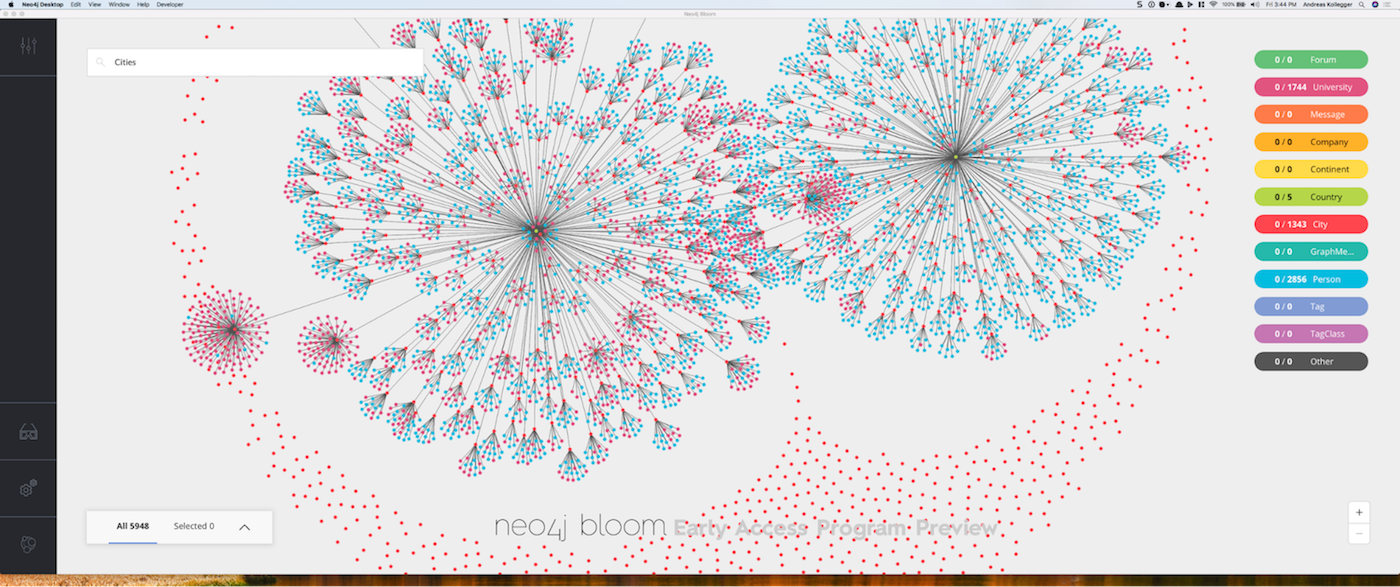
Archaeological discovery isn’t just about storing data — it’s about understanding relationships:
- A site HAS_COMPONENT (hillshade imagery, NDVI data, agent analysis)
- A user CREATED a site AT a specific timestamp
- A site BELONGS_TO a category (settlement, burial, defensive)
- An analysis DETECTED_FEATURE with a confidence score
- A feature HAS_COORDINATES at a specific location
Traditional relational databases force you to model these relationships as foreign keys and join tables. Querying “Find all sites within 5km that have burial features detected with >80% confidence, created by users who also discovered defensive sites” becomes a nightmare of JOINs.

In Neo4j, this query is natural:
1
2
3
4
5
|
MATCH (u:User)-[:CREATED]->(defensiveSite:ArchaeologicalSite)-[:BELONGS_TO]->(:Category {name: 'Defensive'})
MATCH (u)-[:CREATED]->(site:ArchaeologicalSite)-[:HAS_FEATURE]->(f:ArchaeologicalFeature)
WHERE f.name = 'Burial' AND f.confidence > 0.8
  AND distance(site.location, point({latitude: $lat, longitude: $lon})) < 5000
RETURN DISTINCT site
|
Archaios uses Neo4j to model the entire knowledge graph of archaeological discoveries — from raw LiDAR uploads to AI-detected features to multi-agent debate transcripts.
Here’s how Archaios structures its graph:
1
2
3
4
5
6
7
8
9
|
(User)
  ├─[:CREATED]─>(ArchaeologicalSite)
  │               ├─[:HAS_COORDINATES]─>(Coordinates)
  │               ├─[:BELONGS_TO]─>(Category)
  │               ├─[:HAS_COMPONENT]─>(SiteComponent)
  │               ├─[:HAS_ANALYSIS]─>(AnalysisResult)
  │               │                    └─[:DETECTED_FEATURE]─>(ArchaeologicalFeature)
  │               └─[:HAS_FEATURE]─>(ArchaeologicalFeature)
  └─[:DISCOVERED]─>(Discovery)
|
User - Archaeologists and researchers
- Properties:
id, name, oid, provider, photoUrl, createdAt
- Represents authenticated users from Azure AD
ArchaeologicalSite - Discovered sites
- Properties:
siteId, name, latitude, longitude, status, type, isPossibleArchaeologicalSite
- Core entity connecting all data
Coordinates - Geographic locations
- Properties:
latitude, longitude, location (Neo4j point type)
- Enables spatial queries
Category - Site classifications
- Properties:
name (Settlement, Defensive, Burial, Agricultural, etc.)
- Shared across multiple sites for categorization
SiteComponent - Processed imagery and data
- Properties:
name, imageUrl, componentId, type (Hillshade, NDVI, TrueColor, etc.)
- Links to Azure Blob Storage URLs
AnalysisResult - Vision AI analysis groups
- Properties:
groupName (TopographyGroup, SpectralGroup), caption, tags
- Groups related features together
ArchaeologicalFeature - Detected features
- Properties:
name, confidence, description, featureType
- Individual archaeological features (walls, ditches, terraces, etc.)
CREATED - User created a site
HAS_COORDINATES - Site has geographic location
BELONGS_TO - Site belongs to category
HAS_COMPONENT - Site has imagery/data component
HAS_ANALYSIS - Site has AI analysis result
DETECTED_FEATURE - Analysis detected a feature
HAS_FEATURE - Direct site-to-feature link (for quick queries)
When a user uploads a LiDAR file, the first step is creating the site node:
 1
 2
 3
 4
 5
 6
 7
 8
 9
10
11
12
13
14
15
16
17
18
19
20
21
22
23
24
25
26
27
28
29
30
31
32
33
34
35
36
37
38
39
40
41
42
43
44
45
46
47
48
49
50
51
52
53
54
55
56
57
58
59
60
61
62
63
64
65
66
67
68
69
70
71
72
73
74
75
76
77
78
79
80
81
|
public async Task CreateArchaeologicalSiteAsync(ArchaeologicalSite site)
{
    // Create site node
    var siteProperties = new
    {
        id = site.Id,
        siteId = site.SiteId,
        name = site.Name,
        description = site.Description ?? string.Empty,
        latitude = site.Latitude,
        longitude = site.Longitude,
        location = site.Location ?? $"point({site.Latitude}, {site.Longitude})",
        category = site.Category ?? "Uncategorized",
        status = site.Status ?? string.Empty,
        lastUpdated = site.LastUpdated.ToUniversalTime().ToString("o"),
        isKnownSite = site.IsKnownSite
    };

    await _neo4jRepository.CreateNodeAsync("ArchaeologicalSite", "id", siteProperties);

    // Create coordinates node
    var coordinates = new
    {
        name = $"{site.Name} Coordinates",
        latitude = site.Latitude,
        longitude = site.Longitude,
        location = $"point({site.Latitude}, {site.Longitude})"
    };

    await _neo4jRepository.CreateNodeAsync("Coordinates", "latitude", coordinates);

    // Link site to coordinates
    await _neo4jRepository.CreateRelationshipAsync(
        "ArchaeologicalSite", "id", site.Id,
        "Coordinates", "location", coordinates.location,
        "HAS_COORDINATES"
    );

    // Create category node
    var categoryProperties = new { name = siteProperties.category };
    await _neo4jRepository.CreateNodeAsync("Category", "name", categoryProperties);

    // Link site to category
    await _neo4jRepository.CreateRelationshipAsync(
        "ArchaeologicalSite", "id", site.Id,
        "Category", "name", categoryProperties.name,
        "BELONGS_TO"
    );

    // Link user to site
    if (site.ArchaiosUser != null)
    {
        await _neo4jRepository.CreateRelationshipAsync(
            "User", "id", site.ArchaiosUser.Id,
            "ArchaeologicalSite", "id", site.Id,
            "CREATED",
            new { timestamp = DateTime.UtcNow.ToString("o") }
        );
    }

    // Create component nodes (imagery)
    foreach (var component in site.Components ?? Enumerable.Empty<SiteComponent>())
    {
        var componentProperties = new
        {
            name = component.Name,
            state = component.State,
            siteId = site.Id,
            componentId = component.ComponentId ?? Guid.NewGuid().ToString(),
            type = component.Type ?? "Feature"
        };

        await _neo4jRepository.CreateNodeAsync("SiteComponent", "name", componentProperties);

        await _neo4jRepository.CreateRelationshipAsync(
            "ArchaeologicalSite", "id", site.Id,
            "SiteComponent", "name", componentProperties.name,
            "HAS_COMPONENT"
        );
    }
}
|
Notice we use CreateNodeAsync with a keyProperty parameter. Under the hood, this uses Neo4j’s MERGE:
1
2
3
|
MERGE (n:ArchaeologicalSite {id: $keyValue})
ON CREATE SET n = $props
ON MATCH SET n = $props
|
This ensures idempotency — if the orchestration retries, we don’t create duplicate nodes.
4. Storing Analysis Results and Features
After the multi-agent team analyzes the site, we store their findings as a graph:
 1
 2
 3
 4
 5
 6
 7
 8
 9
10
11
12
13
14
15
16
17
18
19
20
21
22
23
24
25
26
27
28
29
30
31
32
33
34
35
36
37
38
39
40
41
42
43
44
45
46
47
48
49
50
51
52
53
54
55
56
57
58
59
60
61
62
63
64
65
|
[Function("StoreAnalysisResultsRelationships")]
public async Task Run([ActivityTrigger] AnalysisRelationshipsRequest request)
{
    _logger.LogInformation($"Creating analysis result relationships for site {request.SiteId}");

    foreach (var analysisEntry in request.AnalysisResults)
    {
        string groupName = analysisEntry.Key;  // "TopographyGroup", "SpectralGroup"
        var analysisResult = analysisEntry.Value;

        if (groupName == "Error" || analysisResult.Features == null)
            continue;

        // Create analysis node
        string analysisNodeId = $"{request.SiteId}_{groupName}";
        var analysisNodeProperties = new
        {
            id = analysisNodeId,
            siteId = request.SiteId,
            groupName = groupName,
            caption = analysisResult.Caption ?? string.Empty,
            tags = string.Join(",", analysisResult.Tags ?? new List<string>()),
            timestamp = DateTime.UtcNow.ToString("o")
        };

        await _neo4jRepository.CreateNodeAsync("AnalysisResult", "id", analysisNodeProperties);

        // Link site to analysis
        await _neo4jRepository.CreateRelationshipAsync(
            "ArchaeologicalSite", "siteId", request.SiteId,
            "AnalysisResult", "id", analysisNodeId,
            "HAS_ANALYSIS");

        // Create feature nodes
        foreach (var feature in analysisResult.Features)
        {
            string featureId = $"{analysisNodeId}_{Guid.NewGuid().ToString()}";
            var featureProperties = new
            {
                id = featureId,
                analysisId = analysisNodeId,
                name = feature.Name ?? "Unknown",
                confidence = feature.Confidence,
                description = feature.Description ?? string.Empty,
                featureType = feature.Name
            };

            await _neo4jRepository.CreateNodeAsync("ArchaeologicalFeature", "id", featureProperties);

            // Link analysis to feature (with confidence on relationship)
            await _neo4jRepository.CreateRelationshipAsync(
                "AnalysisResult", "id", analysisNodeId,
                "ArchaeologicalFeature", "id", featureId,
                "DETECTED_FEATURE",
                new { confidence = feature.Confidence });

            // Direct site-to-feature link (optimization for queries)
            await _neo4jRepository.CreateRelationshipAsync(
                "ArchaeologicalSite", "siteId", request.SiteId,
                "ArchaeologicalFeature", "id", featureId,
                "HAS_FEATURE",
                new { confidence = feature.Confidence });
        }
    }
}
|
1
2
|
(Site)-[:HAS_ANALYSIS]->(AnalysisResult)-[:DETECTED_FEATURE]->(Feature)
(Site)-[:HAS_FEATURE]->(Feature)
|
The first path preserves the grouping structure (Topography vs Spectral analysis).
The second path enables fast direct queries: “Show all sites with burial features >80% confidence.”
This is a common graph modeling pattern: denormalize for query performance.
Retrieving a site with all its related data is a single Cypher query:
 1
 2
 3
 4
 5
 6
 7
 8
 9
10
11
12
13
14
15
16
17
18
19
20
21
22
23
24
25
26
27
28
29
30
31
32
33
34
35
36
37
38
39
40
41
42
43
44
45
46
47
48
|
public async Task<ArchaeologicalSite> GetSiteBySiteIdAsync(string Id)
{
    var result = await _boltClient.Cypher
        .Match("(site:ArchaeologicalSite {id: $siteId})")
        .OptionalMatch("(site)-[:HAS_COMPONENT]->(component:SiteComponent)")
        .OptionalMatch("(user:User)-[:CREATED]->(site)")
        .OptionalMatch("(site)-[:HAS_ANALYSIS]->(analysis:AnalysisResult)")
        .OptionalMatch("(analysis)-[:DETECTED_FEATURE]->(feature:ArchaeologicalFeature)")
        .WithParam("siteId", Id)
        .With("site, collect(DISTINCT component) AS components, user, analysis, collect(DISTINCT feature) AS features")
        .With("site, components, user, collect({analysis: analysis, features: features}) AS analysisGroups")
        .Return((site, components, user, analysisGroups) => new
        {
            Site = site.As<ArchaeologicalSite>(),
            User = user.As<ArchaiosUser>(),
            Components = components.As<List<SiteComponent>>(),
            AnalysisGroups = analysisGroups.As<List<AnalysisGroupResult>>()
        })
        .ResultsAsync;

    var siteResult = result.FirstOrDefault();

    // Map analysis groups back to site model
    if (siteResult.AnalysisGroups != null)
    {
        siteResult.Site.AnalysisResults = new Dictionary<string, AnalysisResult>();

        foreach (var group in siteResult.AnalysisGroups.Where(g => g.analysis != null))
        {
            var analysisResult = new AnalysisResult
            {
                Caption = group.analysis.caption,
                GroupName = group.analysis.groupName,
                Tags = group.analysis.tags.Split(',').ToList(),
                Features = group.features.Select(f => new DetectedFeature
                {
                    Name = f.name,
                    Confidence = f.confidence,
                    Description = f.description
                }).ToList()
            };

            siteResult.Site.AnalysisResults[group.analysis.groupName] = analysisResult;
        }
    }

    return siteResult.Site;
}
|
This single query traverses:
- Site properties
- Related components (imagery)
- Creator user
- Analysis results with grouped features
In SQL, this would require 4-5 JOINs and complex result mapping.
Neo4j has native support for geographic points and distance calculations:
1
2
3
|
MATCH (site:ArchaeologicalSite)
WHERE distance(site.location, point({latitude: 52.3456, longitude: -1.2345})) < 5000
RETURN site
|
We store coordinates as Neo4j point types:
1
|
location = $"point({site.Latitude}, {site.Longitude})"
|
This enables queries like:
- “Find sites within 10km of this location”
- “Find the nearest archaeological site to these coordinates”
- “Cluster sites by geographic proximity”
Combined with feature relationships:
1
2
3
4
5
6
|
MATCH (site:ArchaeologicalSite)-[:HAS_FEATURE]->(f:ArchaeologicalFeature)
WHERE f.name = 'Burial'
  AND f.confidence > 0.8
  AND distance(site.location, point({latitude: $lat, longitude: $lon})) < 10000
RETURN site, f
ORDER BY distance(site.location, point({latitude: $lat, longitude: $lon}))
|
This finds burial sites within 10km, ordered by proximity.
Neo4j’s Graph Data Science library enables pattern detection across the knowledge graph:
Find clusters of related sites:
 1
 2
 3
 4
 5
 6
 7
 8
 9
10
11
12
13
|
public async Task<IDictionary<string, double>> FindCommunitiesAsync(string label)
{
    var query = @"
        CALL gds.louvain.stream($label)
        YIELD nodeId, communityId
        WITH gds.util.asNode(nodeId) as node, communityId
        RETURN node.id as nodeId, communityId";

    var result = await _driver.RunAsync(query, new { label });

    // Returns dictionary: { "site-123": 1, "site-456": 1, "site-789": 2 }
    // Sites 123 and 456 are in the same community (connected by similar features)
}
|
This can reveal:
- Sites created by the same user
- Sites with similar detected features
- Geographic clusters of settlements
Rank sites by their centrality in the graph:
 1
 2
 3
 4
 5
 6
 7
 8
 9
10
11
|
public async Task<IDictionary<string, double>> RankNodesAsync(string label)
{
    var query = @"
        CALL gds.pageRank.stream($label)
        YIELD nodeId, score
        WITH gds.util.asNode(nodeId) as node, score
        RETURN node.id as nodeId, score
        ORDER BY score DESC";

    // Higher score = more connected site (many features, components, relationships)
}
|
Sites with:
- More detected features
- More components (imagery types)
- More user interactions
…rank higher, indicating archaeological significance.
The multi-agent debate is serialized and stored directly on the site node:
 1
 2
 3
 4
 5
 6
 7
 8
 9
10
11
|
public async Task UpdateSiteAgentAnalysisAsync(string siteId, List<AgentChatMessage> agentMessages)
{
    string serializedMessages = JsonConvert.SerializeObject(agentMessages);

    await _boltClient.Cypher
        .Match("(site:ArchaeologicalSite {siteId: $siteId})")
        .Set("site.serializedAgentAnalysis = $messages")
        .WithParam("siteId", siteId)
        .WithParam("messages", serializedMessages)
        .ExecuteWithoutResultsAsync();
}
|
When retrieving the site, we deserialize it:
1
2
3
4
5
6
|
if (!string.IsNullOrEmpty(site.SerializedAgentAnalysis))
{
    site.AgentAnalysis = JsonConvert.DeserializeObject<List<AgentChatMessage>>(
        site.SerializedAgentAnalysis
    );
}
|
This preserves the entire conversation — users can see why the AI team approved or rejected their site.
Archaios uses Neo4jClient for Cypher query building and Neo4j.Driver for raw driver access:
 1
 2
 3
 4
 5
 6
 7
 8
 9
10
11
12
13
14
15
16
17
18
19
20
21
22
23
24
25
26
27
28
29
30
31
32
33
34
35
36
37
38
39
40
41
42
43
44
45
46
47
48
|
public class Neo4jRepository : INeo4jRepository
{
    private readonly IBoltGraphClient _boltClient;  // Neo4jClient (high-level)
    private readonly IDriver _driver;                // Neo4j.Driver (low-level)

    public async Task CreateNodeAsync<T>(string label, string keyProperty, T properties)
    {
        var propertyValue = typeof(T).GetProperty(keyProperty)?.GetValue(properties);

        await _boltClient.Cypher
            .Merge($"(n:{label} {{{keyProperty}: $keyValue}})")
            .OnCreate()
            .Set("n = $props")
            .OnMatch()
            .Set("n = $props")
            .WithParams(new
            {
                keyValue = propertyValue,
                props = properties
            })
            .ExecuteWithoutResultsAsync();
    }

    public async Task CreateRelationshipAsync(
        string startNodeLabel, string startNodeProperty, string startNodeValue,
        string endNodeLabel, string endNodeProperty, string endNodeValue,
        string relationshipType, object properties = null)
    {
        var query = _boltClient.Cypher
            .Match($"(start:{startNodeLabel})", $"(end:{endNodeLabel})")
            .Where($"start.{startNodeProperty} = $startValue")
            .AndWhere($"end.{endNodeProperty} = $endValue")
            .WithParam("startValue", startNodeValue)
            .WithParam("endValue", endNodeValue);

        if (properties != null)
        {
            query = query.Create($"(start)-[r:{relationshipType} $props]->(end)")
                       .WithParam("props", properties);
        }
        else
        {
            query = query.Create($"(start)-[:{relationshipType}]->(end)");
        }

        await query.ExecuteWithoutResultsAsync();
    }
}
|
Why both libraries?
- Neo4jClient - Fluent API for building type-safe Cypher queries
- Neo4j.Driver - Raw driver for Graph Data Science algorithms and advanced queries
🔗 Natural Relationship Queries
- “Find all sites created by users who also discovered burial features”
- SQL: Complex self-joins, temp tables
- Cypher:
MATCH (u:User)-[:CREATED]->(s1)-[:HAS_FEATURE]->(:Feature {name: 'Burial'}) MATCH (u)-[:CREATED]->(s2) RETURN DISTINCT s2
📍 Spatial + Graph Hybrid
- “Find defensive sites within 5km of water sources that have high-confidence AI analysis”
- Combines geographic proximity with graph traversal
🧠 Knowledge Discovery
- Community detection reveals site clusters
- PageRank identifies archaeologically significant sites
- Shortest path finds connections between discoveries
⚡ Performance at Scale
- Graph queries don’t degrade with relationship depth
- SQL JOINs get exponentially slower with each level
- Neo4j is optimized for traversals
🎯 Semantic Richness
- Relationships have types (
CREATED, DETECTED_FEATURE) and properties (confidence, timestamp)
- The graph is the domain model — no impedance mismatch

🗺️ Graph databases excel at relationship-heavy domains like archaeology, social networks, knowledge management
📐 Node-relationship-property model is more intuitive than tables and foreign keys for complex domains
🔄 MERGE ensures idempotency — critical for distributed systems with retries
🌍 Neo4j native spatial support combines geographic and graph queries seamlessly
🧮 Graph algorithms (community detection, PageRank, shortest path) reveal hidden patterns
📊 Cypher queries read like natural language descriptions of graph patterns
🏛️ Domain-driven design maps directly to graph structure without ORM translation layers
Ready to model your complex domain as a knowledge graph?
🔗 GitHub Repository: https://github.com/Cloud-Jas/Archaios
📚 Key Files to Study:
🚀 Neo4j Resources:
Graph databases transform how we model and query complex, relationship-heavy domains. By representing archaeological knowledge as a graph, Archaios enables powerful spatial-semantic queries that would be nearly impossible in relational databases. If you’re working with connected data, consider going graph!
#Neo4j #GraphDatabase #Cypher #KnowledgeGraph #Archaeology #Azure #DataModeling #MicrosoftMVP